Most parents never think about this until it has already happened. Every person you invite to your family album can screenshot every photo in it. Your sister. Your partner's mom. The friend you added after the baby shower and then forgot about.
In almost every family album app, that screenshot is invisible to you. No notification. No record. Nothing.
The photo just leaves your album. It lands in someone else's camera roll. It gets backed up to their cloud, synced to their laptop, and shared onward. All of it outside your control.
We built TinyNest so you get to decide who can do that. This post explains why screenshots matter more than they sound like they do. Then it shows you exactly how screenshot control works.
First, what is TinyNest? #
TinyNest is a private family album for baby photos. It is invite only. You upload with one tap, and everyone you invited sees the new photos right away. Grandparents, aunts, uncles, the whole village.
There is no feed. No public profile. No algorithm. No way for a stranger to find your child.
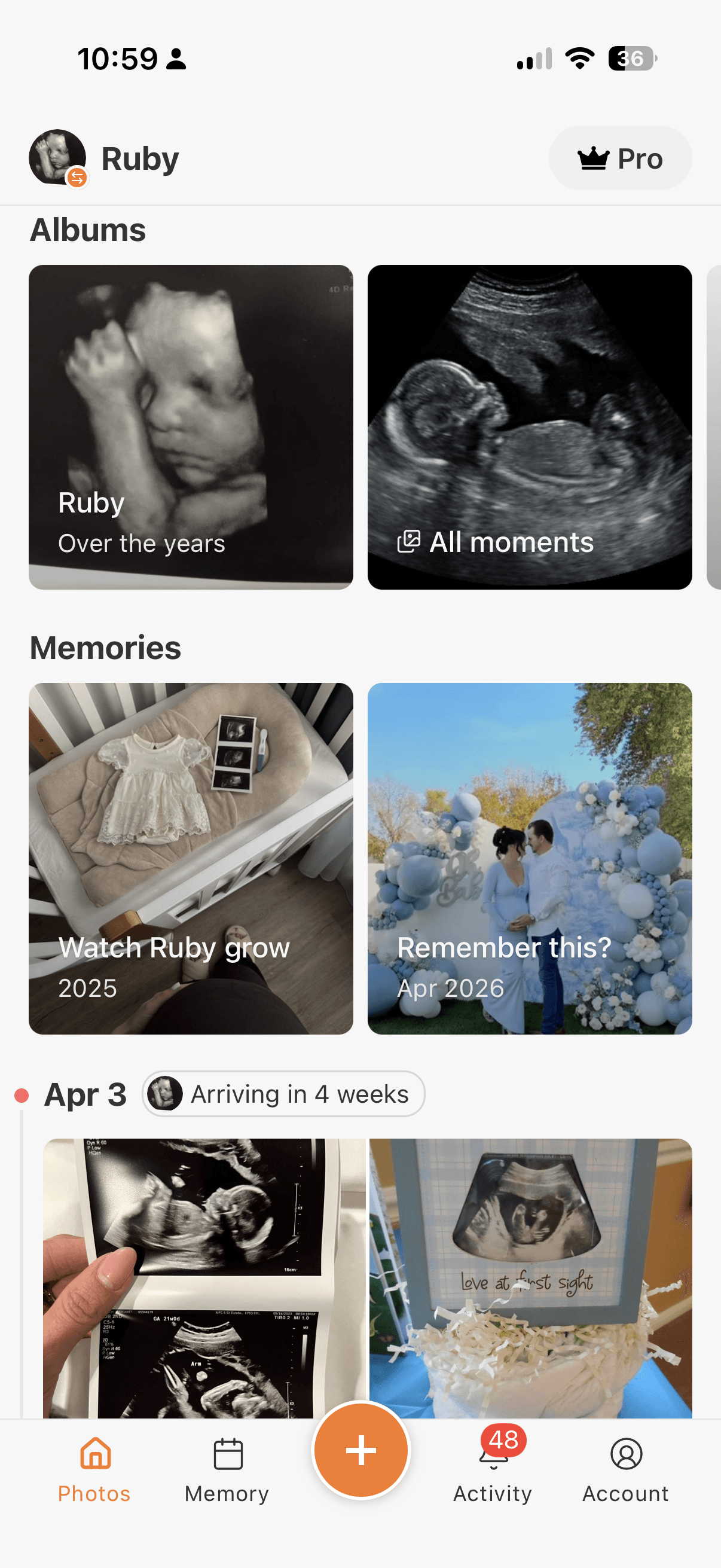
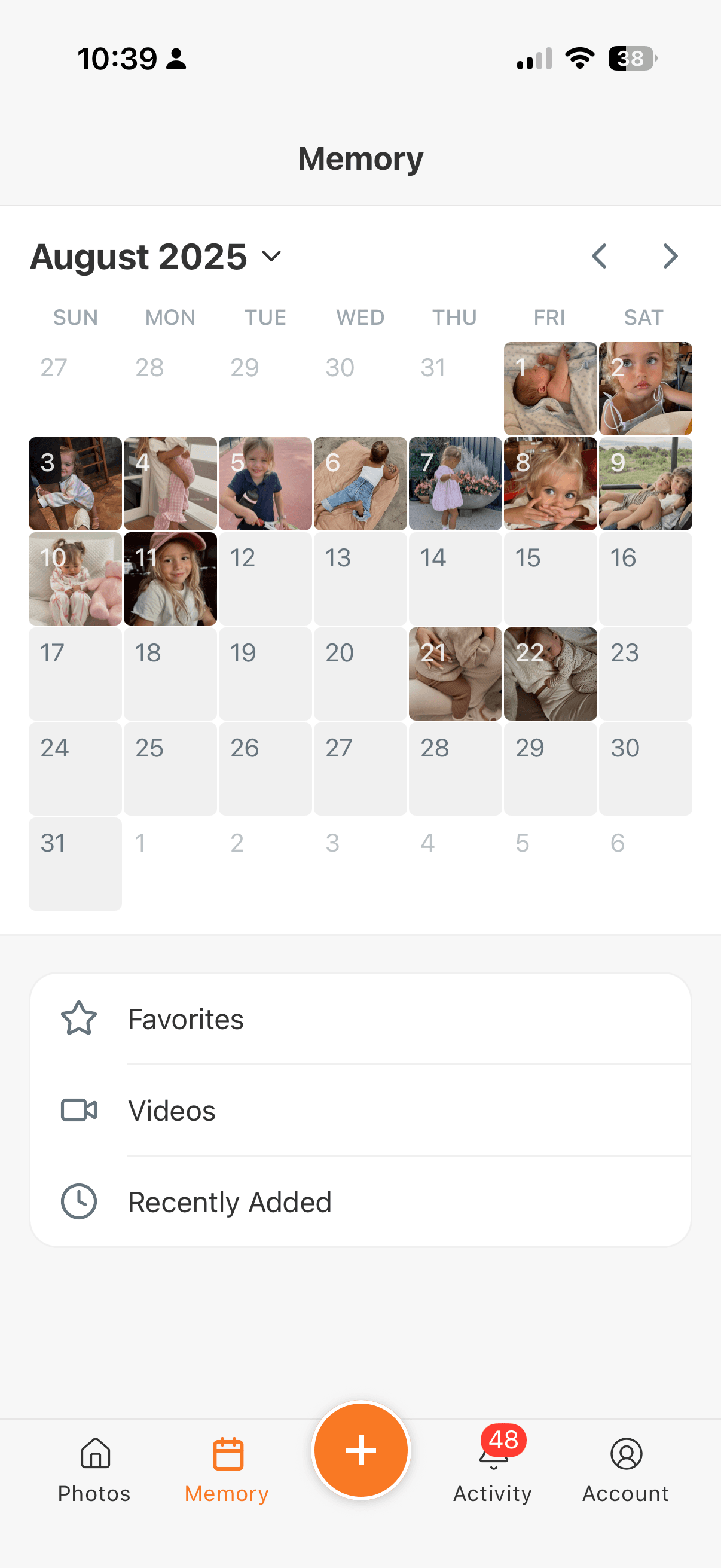
Photos organize themselves by your baby's age. You get a real timeline that starts at the first ultrasound. Storage is unlimited. Photos keep their original quality, so nothing gets compressed to save us money.
Want to see how the whole category compares? We wrote a longer guide to the best family album apps. This post is about one feature. It is the one we get asked about most.
Why a screenshot is a bigger deal than it sounds #
The people who screenshot your baby's photos are almost never being malicious. That is what makes this hard to talk about.
A proud relative reshares without thinking. Your sister screenshots the birth announcement. She puts it on her Instagram story because she is excited. Now your baby is on a public account with an audience you have never met. You find out three days later, when someone happens to mention it.
A screenshot leaks more than the photo. Birth announcements are full of details. Full name. Date of birth. Weight. The hospital. Put that next to a public post about where you live, and you have handed over most of what someone needs to impersonate a child. That child will not have a credit history for eighteen years. The nursery photo shows your street through the window too. The screenshot keeps all of it.
The less that exists about your child, the better. Your kid gets to make their own choices about being online in about thirteen years. Every image that escapes before then is a choice made for them. Permanently. By someone who is not them.
Then there is what AI does with children's photos. Ordinary pictures of kids get scraped into training datasets without anyone's consent. Generative tools can take a normal photo of a child and turn it into something no parent would ever agree to, including sexual imagery. This is not hypothetical. It is the point where the conversation stops being about etiquette.
Here is the common thread. Once someone can capture the image, you have no say in where it goes. Your permissions stop mattering the second that photo sits in someone else's library.
Does TinyNest have screenshot control? #
Yes. And you set it for each person, not for the whole album.
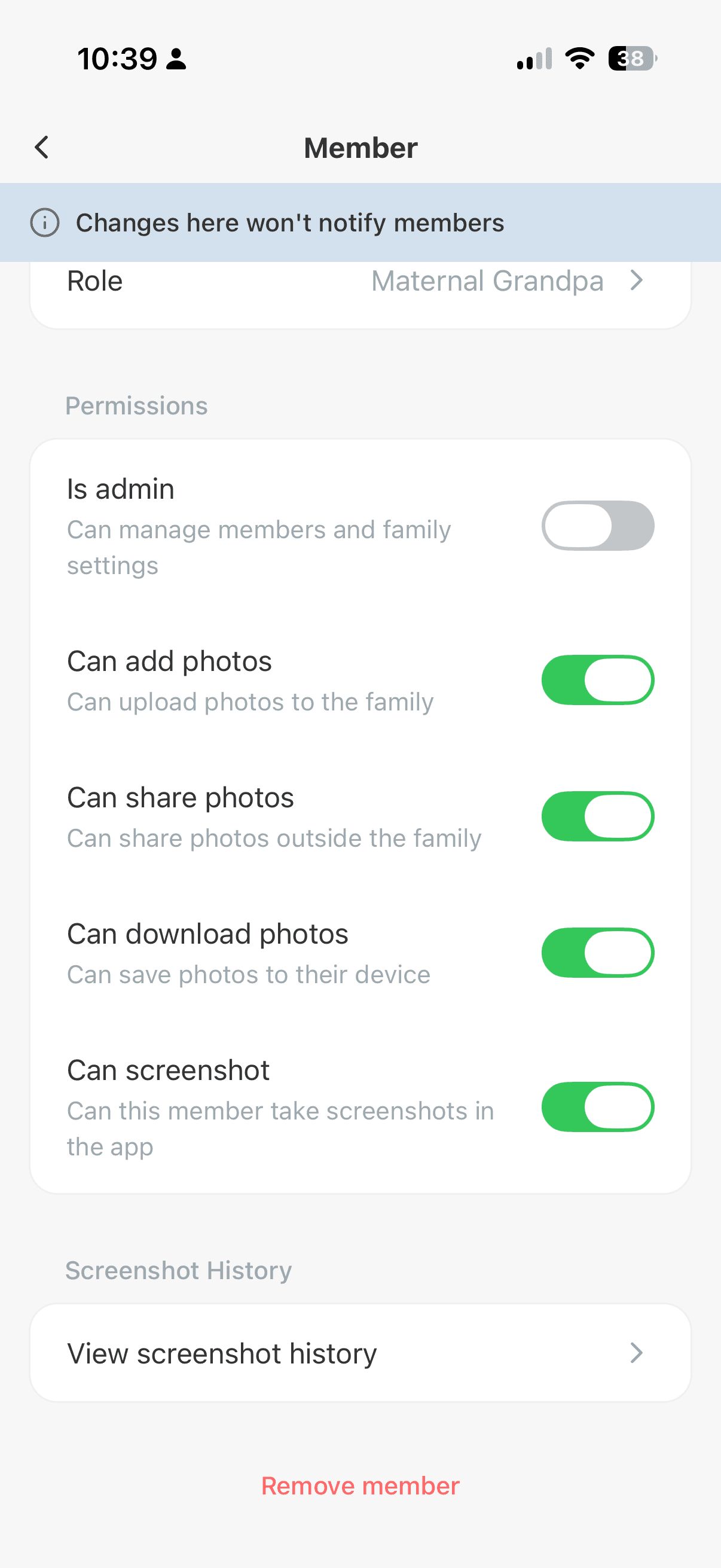
Every member has their own permissions. "Can screenshot" sits right alongside the rest. Let Grandma screenshot all she wants. Turn it off for the coworker you invited during the newborn haze.
Two details make this work in practice.
Turning it off gives them a blank capture. Someone without permission can still press the buttons. They just get a blank image instead of your baby. This matters more than it sounds. iOS does not let any app block the screenshot gesture. So if an app claims to block screenshots on iPhone, it either works like this or it does not really work. TinyNest lets the capture happen and makes sure it captures nothing.
Changing the setting does not notify anyone. The permissions screen says so directly. Nobody gets a message telling them you restricted their access. That saves you a conversation nobody wants to have.
Every screenshot gets logged too. That happens whether or not the person had permission.
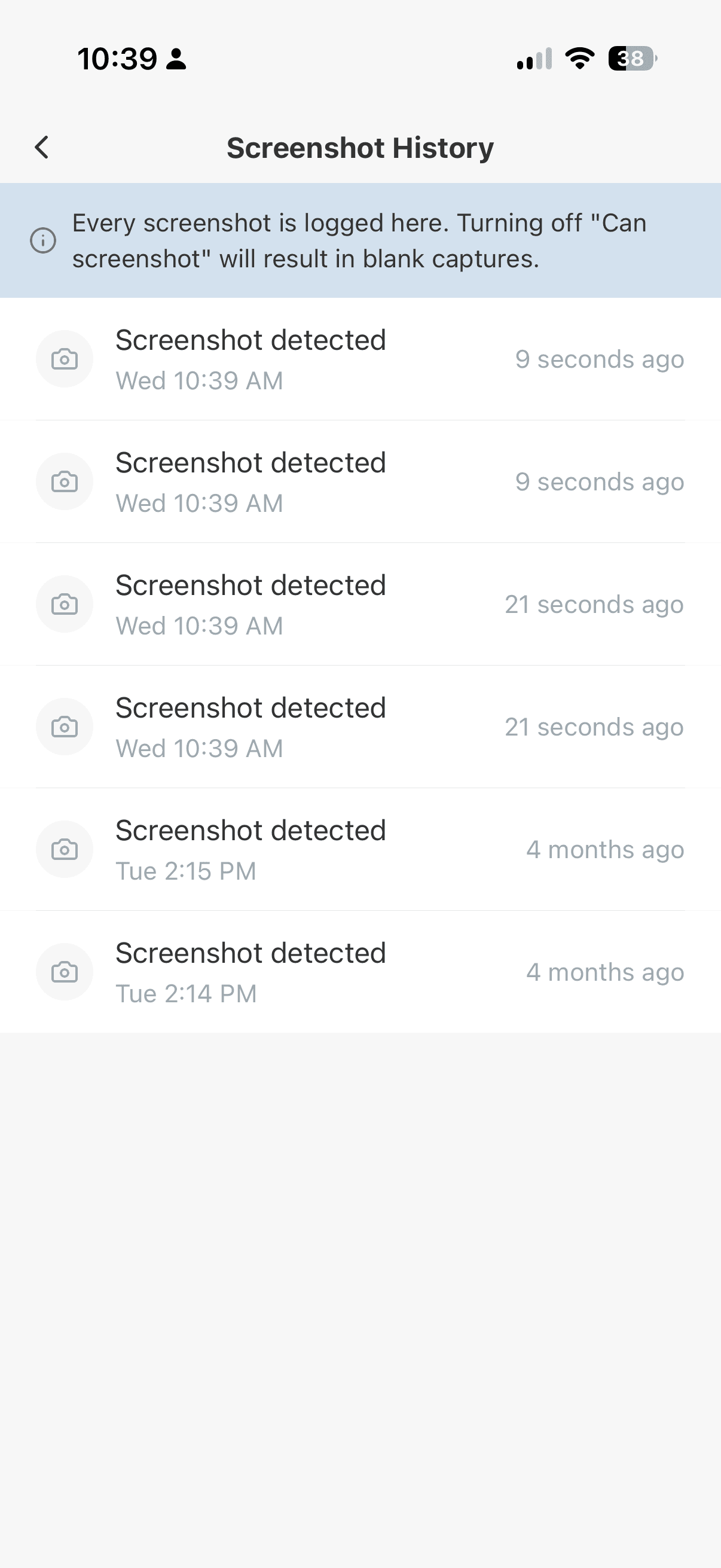
You get a running history of when captures happened. Most of the time it is simple reassurance. But if something private turns up where it should not be, you have a record of when it left. That is the difference between suspecting something and knowing it.
What do other family album apps do about this? #
We looked at the apps parents actually compare. FamilyAlbum, Tinybeans, 23snaps, Google Photos, and Apple's iCloud Shared Albums.
None of them let you control screenshots for each member. None of them give blank captures. None of them keep a screenshot history. FamilyAlbum, the biggest of them, has no screenshot restriction at all.
Blocking downloads is not the same thing either. A download setting stops someone saving the original file to their phone. It does nothing about the screenshot gesture, which on iPhone no app is allowed to prevent. That is exactly why the blank capture approach matters.
Most of this comes down to what each app was built for. Google Photos and iCloud are general photo storage that families repurpose. They have no concept of one person getting less access than another, because they were never meant to. The dedicated family album apps do have member lists. But they treat the invitation as the entire privacy boundary. You are either in the album or you are not.
We think the invitation is where the privacy question starts, not where it ends. You invite people at very different levels of closeness. It is reasonable for a great aunt to see less than a grandparent, and to do less with what she sees.
Already on FamilyAlbum and looking around? We wrote a direct comparison of the best FamilyAlbum alternatives.
Other reasons parents move to TinyNest #
Screenshot control is what people arrive for. It is usually not why they stay.
Privacy in writing, not just in marketing. There are no ads in the app. And our terms say it plainly. We will never sell or license your content to AI companies, large technology companies, or anyone else for training artificial intelligence or machine learning models. That includes photos and videos of your children. Plenty of companies say something reassuring in a blog post. We put it in the agreement.
Grandparents can actually use it. This is the part that decides everything. An album nobody opens is worse than no album. And nothing loses a grandparent faster than an app that needs a tutorial. TinyNest is simple on purpose. Open it. The new photos are there. Tap to react.
One upload reaches the whole village. You post once and everyone is current. No group chat with eleven people. No separate text to the grandparents who are not in it. No realizing later that you left someone out. The people who love your kid stay close to your kid. That is the whole point.
Your baby's photos should be seen by the people you chose. And used only in ways you are comfortable with. That is a reasonable thing to want, and it is what we built.
Try TinyNest. It is free to start, and it takes about a minute to get your family in.